
From dynamic charts to clickable diagrams, the AI now builds real-time, in-line graphics to help you seamlessly visualize complex topics.
- Claude can now generate interactive, custom charts and diagrams directly within the chat interface to instantly aid your understanding of complex topics.
- Unlike polished, permanent “artifacts,” these new in-line visuals are fluid and temporary, dynamically changing as your conversation with the AI evolves.
- This beta feature is part of a broader upgrade enhancing Claude’s visual intelligence, which includes specialized layouts for everyday queries and deep integrations with apps like Figma and Canva.

The landscape of artificial intelligence is rapidly shifting from purely text-based interactions into a richer, more visually intuitive experience. Last fall, a glimpse into this future was provided with the preview of “Imagine with Claude,” an ambitious project showcasing a new way for the AI to construct visuals in real time without requiring a single line of code. Now, that vision is stepping into the spotlight. A beta version of this powerful capability has officially arrived in Claude’s standard chat conversations, allowing the AI to instantly create custom charts, diagrams, and a variety of other visualizations directly in-line with its text responses.
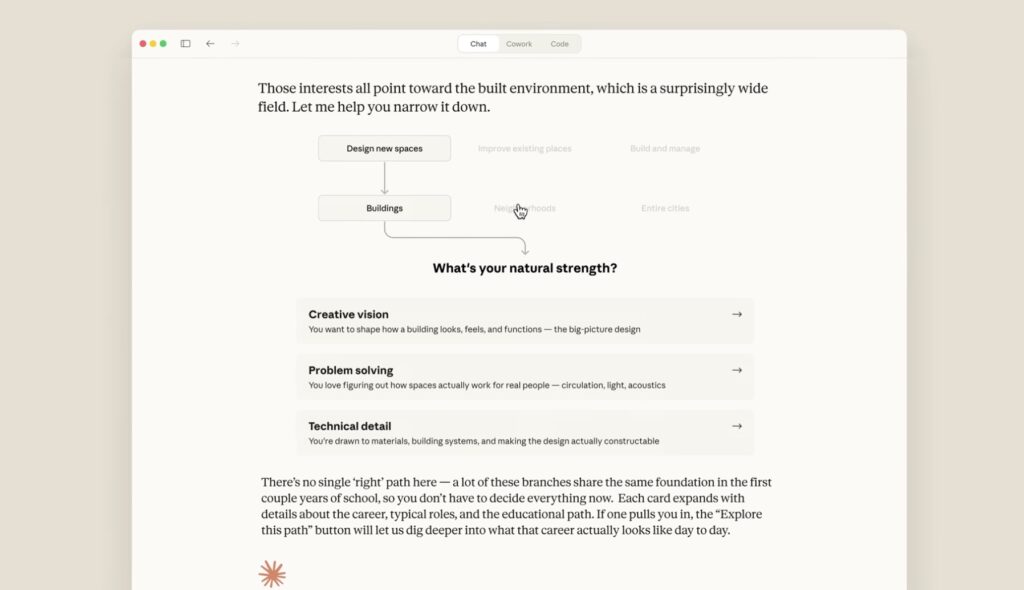
What makes this feature truly transformative is its fluidity. These are not static images generated as an afterthought; they are interactive tools designed to be tweaked and modified as your dialogue develops. For instance, if you are trying to grasp the nuances of finance, you can ask Claude to explain how compound interest works. Instead of just giving you a mathematical breakdown, Claude will provide an interactive curve that you can play around with to see the effects of different variables. Similarly, an inquiry about chemistry might prompt Claude to build an interactive visualization of the periodic table, allowing you to click around and explore specific elemental details directly within the chat window.
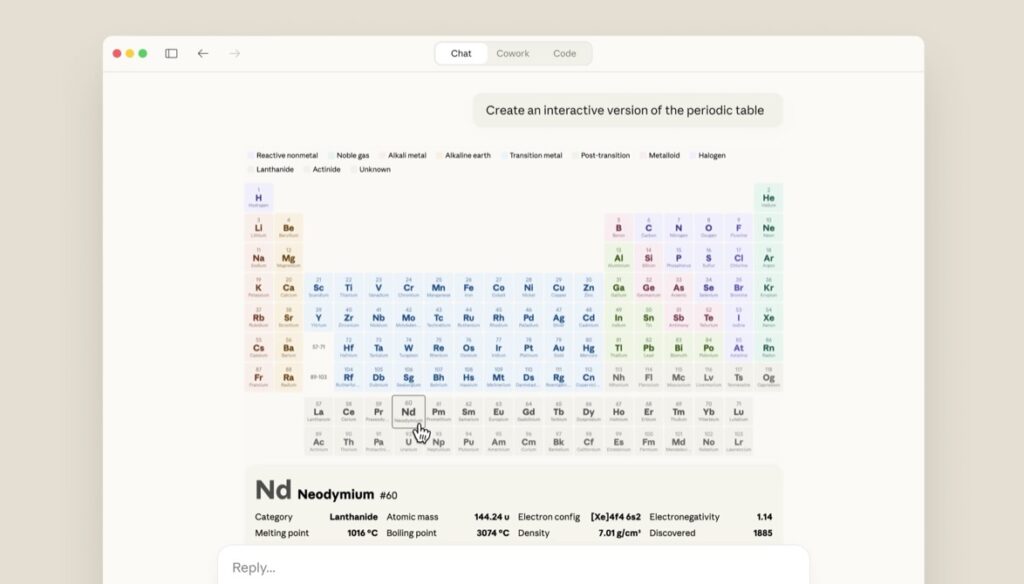
It is important to distinguish these new, agile visuals from Claude’s existing “artifacts.” Artifacts are designed to be permanent, polished creations—like coded tools or comprehensive documents—that live in a dedicated side panel and are meant to be shared or downloaded for external use. By contrast, these new in-line charts and diagrams serve a distinctly conversational purpose. They exist specifically to aid immediate understanding while discussing the topic at hand. Because they are integrated directly into the chat feed, they are inherently temporary, designed to adapt, change, or disappear naturally as the conversation shifts its focus.
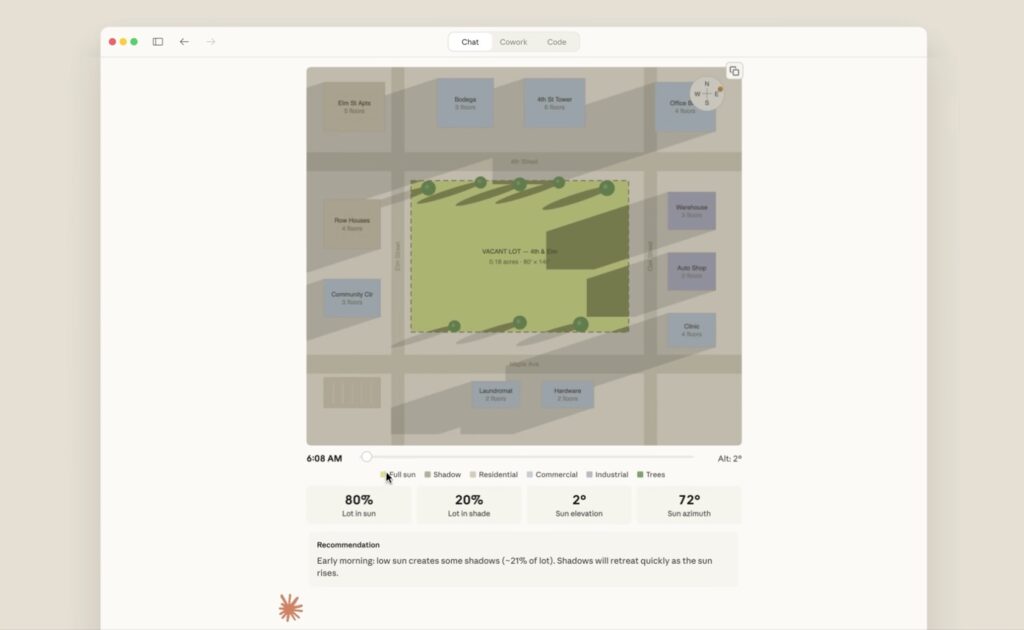
The user experience has been designed to be as frictionless as possible, with the feature turned on by default. Claude is equipped with the contextual awareness to decide exactly when a visual aid would best support an explanation. However, users remain in complete control and can explicitly direct the AI to generate graphics using simple prompts like “draw this as a diagram” or “visualize how this might change over time.” Once the initial visual is rendered, the true collaborative power of the tool shines: you can ask Claude to make adjustments, refine the data, or dig deeper into specific sections of the chart, all through natural conversation.
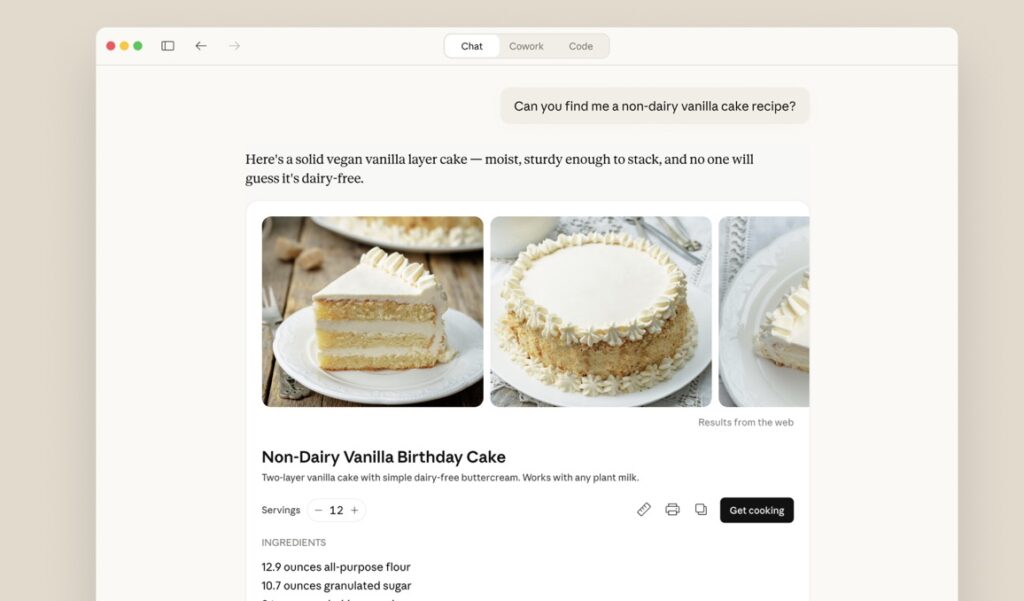
These interactive visualizations represent just one piece of a much larger puzzle regarding how we interact with information. They are part of a broader set of recent enhancements aimed at making Claude’s responses more tailored and practical. Earlier this year, the AI began utilizing purpose-designed formats for specific types of information; asking for a recipe now yields a neatly formatted list of ingredients and step-by-step instructions, while weather queries return immediate, easily digestible visual forecasts. Coupled with the ability to interact directly with powerful external applications like Figma, Canva, and Slack right from your discussion, Claude is steadily evolving from a simple chatbot into a dynamic, multi-dimensional workspace.