

With seamless cross-device syncing, true background processing, and unified workspaces, your AI assistant now works on your terms—wherever you are.
- Seamless Cross-Device Workflow: Hand Claude a task on your desktop, close your laptop, and review the completed work later from your phone.
- True Background Processing: Scheduled tasks and remote sessions run directly on Anthropic’s servers, allowing Claude to prep briefings or draft emails while you sleep.
- Smart Desktop Integration: While Claude roams free on web and mobile, the desktop app remains the powerhouse for local file access, browser control, and advanced computer use.
The concept of an AI assistant is evolving from a reactive sounding board to a proactive, autonomous team member. Anthropic is accelerating this shift by bringing Claude Cowork to both web and mobile platforms. Handing Claude a task now starts the exact same way a standard conversation does, but the capabilities running beneath the surface have drastically expanded. By merging Chat and Cowork into a single, unified home on web and desktop, users now have one centralized hub for all their projects and artifacts, ensuring their AI ecosystem goes exactly where they go, on any device.
The most transformative feature of this update is the introduction of remote sessions. Previously, an AI’s workflow was often tethered to the active state of your local machine. Now, in a remote session, Claude’s work runs directly on Anthropic’s servers. This fundamentally changes what Cowork can accomplish. You can assign a heavy data analysis task at your desk, snap your laptop shut, and walk away—Claude keeps right on going. Because your sessions and files are saved seamlessly to your Claude account, you can simply pull out your phone during your commute to pick up the finished work.
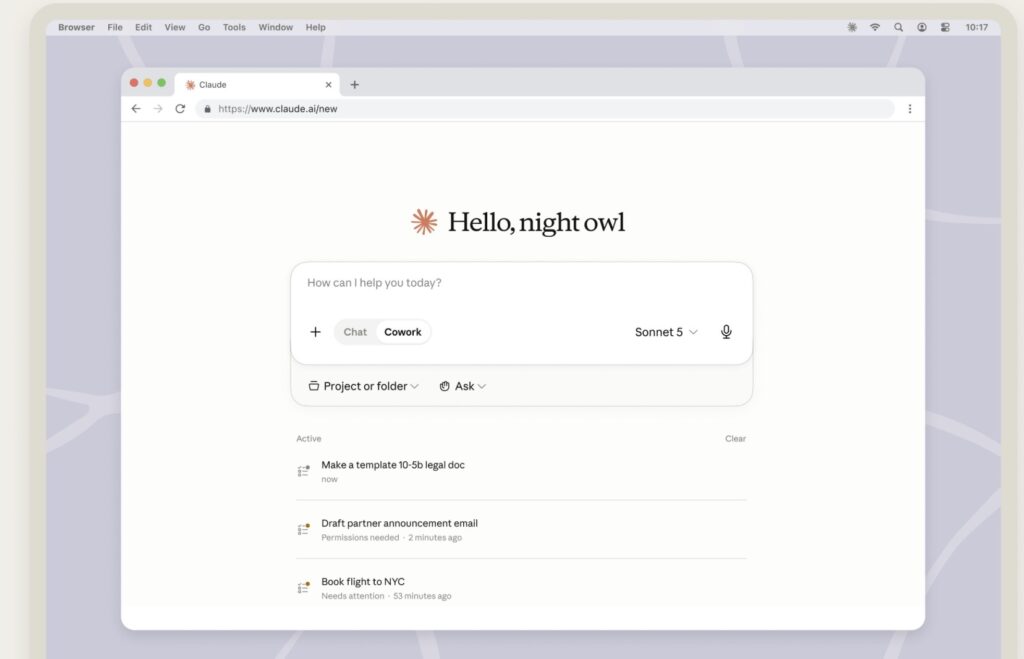
This remote server architecture also breathes new life into automated scheduling. Since scheduled tasks no longer require your computer to be awake or online, you can instruct Claude to run client prep at 6:00 AM. While you are still waking up, Claude can work through complex email threads and transcripts, build a comprehensive brief, and leave a follow-up drafted but unsent. When a situation is nuanced and a decision requires your human judgment, the workflow doesn’t just fail; instead, the question comes directly to your phone, allowing you to guide the AI while on the move.
While web and mobile access offer incredible freedom, the Claude Desktop app remains an essential bridge for tasks that interact directly with your local machine. Advanced capabilities—like local file access, local connectors, browser use via Claude in Chrome, and the new computer use feature (currently a research preview for Pro and Max plans)—require the desktop app to be open. For example, a remote session running from your phone can read and write files in folders you’ve connected to Claude, but only if the desktop app is active on that specific computer. If the app is closed, Claude will continue its remote work but will temporarily lose its reach into your local files. Similarly, local plugins that include local MCP servers only function through the desktop interface.
This unified experience extends deeply into your daily organization through Projects. Available across all surfaces, Projects allow you to start a chat or Cowork session that automatically utilizes the project’s specific knowledge as context. However, it is important to note the boundaries: projects tied to a local folder support Cowork sessions on the desktop only, and Live Artifacts remain exclusive to the desktop app. Furthermore, Cowork is designed to respect your curation; it will not automatically change a project’s contents, leaving you to manually add anything you wish to keep for future reference.
This new era of flexible, continuous AI collaboration is currently in beta. Anthropic is rolling out the feature over the next several weeks, beginning with Max plan subscribers, with additional plans scheduled to follow shortly after.