

Say goodbye to repetitive typing. Discover, save, and remix your favorite AI workflows directly in your browser.
- One-Click AI Workflows: Chrome introduces “Skills,” a new feature that allows you to save your most effective AI prompts and run them instantly across any webpage without retyping.
- Custom and Pre-Built Solutions: Whether you want to build personalized tools from your own chat history or browse a library of ready-to-use Skills for shopping and productivity, you can easily customize the AI to fit your exact needs.
- Secure and Synced: Built on Chrome’s robust privacy foundation with automated safeguards, your saved Skills sync across all your signed-in desktop devices for a seamless, protected browsing experience.
Artificial intelligence has fundamentally changed how we interact with the internet. Every day, people rely on AI integrated into their browsers to help them achieve more on the web—whether that means quickly answering complex questions, comparing vast amounts of information, or clarifying difficult concepts. However, as AI becomes a staple in our daily digital diets, a new point of friction has emerged: repetition.
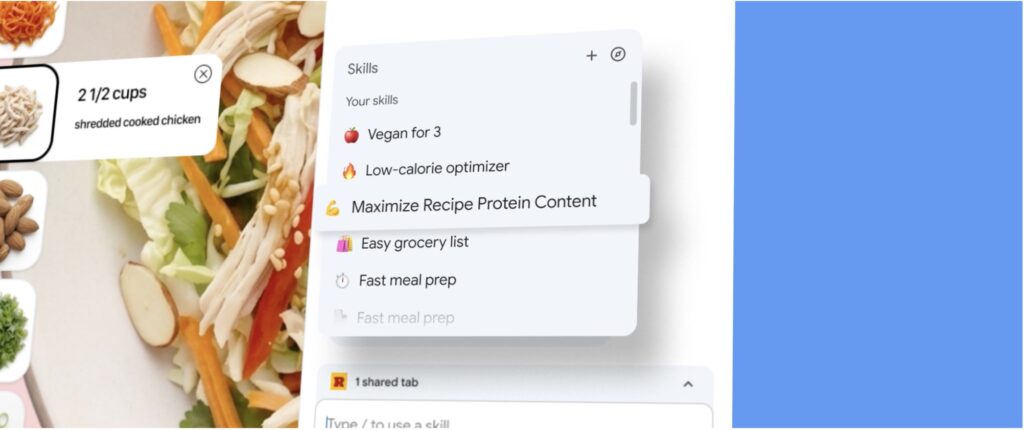
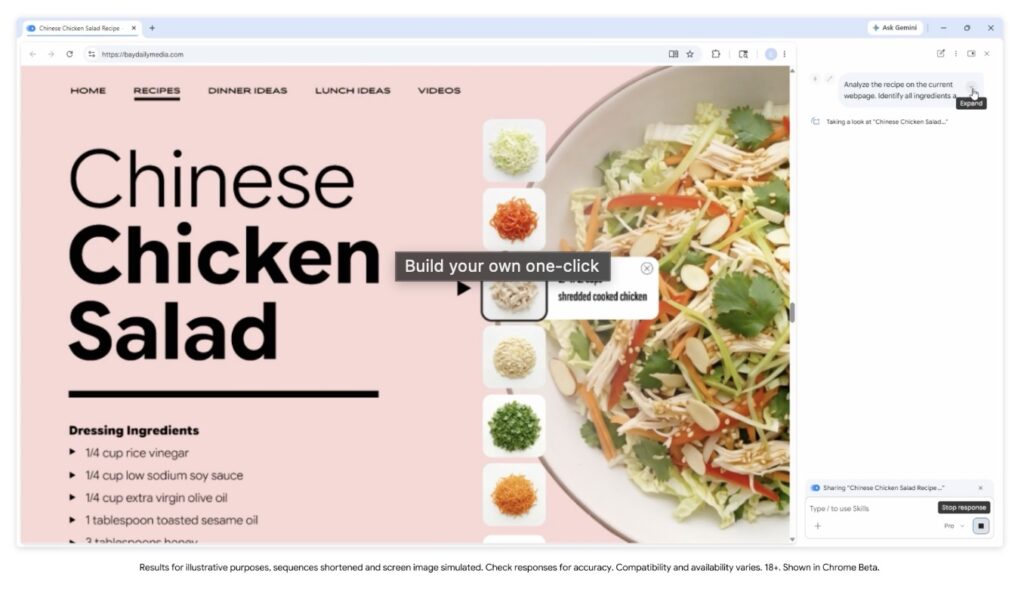
Until now, executing a recurring AI task meant doing the same digital chore over and over. If you frequently asked your AI to suggest vegan ingredient substitutions for recipes you found online, you had to manually re-enter that exact same prompt on every new cooking blog you visited. To eliminate this repetitive busywork, a new era of browsing is here. Meet Skills in Chrome—a feature designed to let you save, reuse, and execute your most helpful AI prompts with a single click.
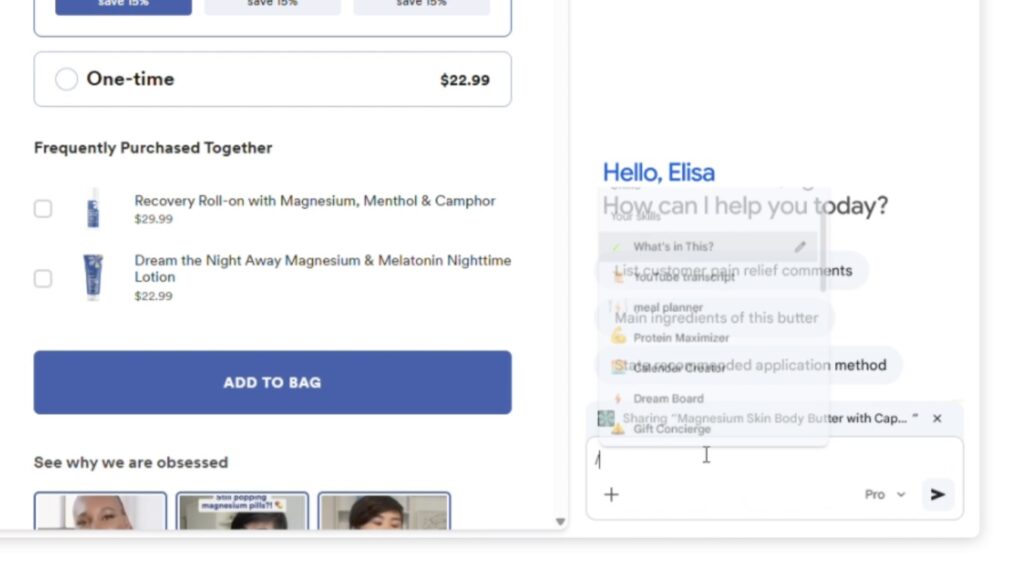
With Skills, you can easily build your own personalized, one-click workflows. Whenever you write a highly effective prompt that you know you will want to use again, you can save it directly from your chat history as a Skill. The next time you need that specific function, you simply access your saved Skill in Gemini in Chrome by typing a forward slash ( / ) or clicking the plus sign ( + ) button. Instantly, your custom Skill will run on the page you are currently viewing, or even across multiple tabs you select. Because your needs evolve, you retain full control to edit your saved Skills or create new ones at any time.
The potential for customization is vast, and early testers are already using Skills in Chrome to create powerful workflows for a wide variety of everyday tasks. In the realm of health and wellness, users have created Skills to quickly calculate protein macros for any recipe they find online. For shopping, testers are using the feature to generate comprehensive, side-by-side spec comparisons across multiple open tabs. In terms of productivity, professionals are deploying Skills to instantly scan lengthy documents and highlight the most important information.
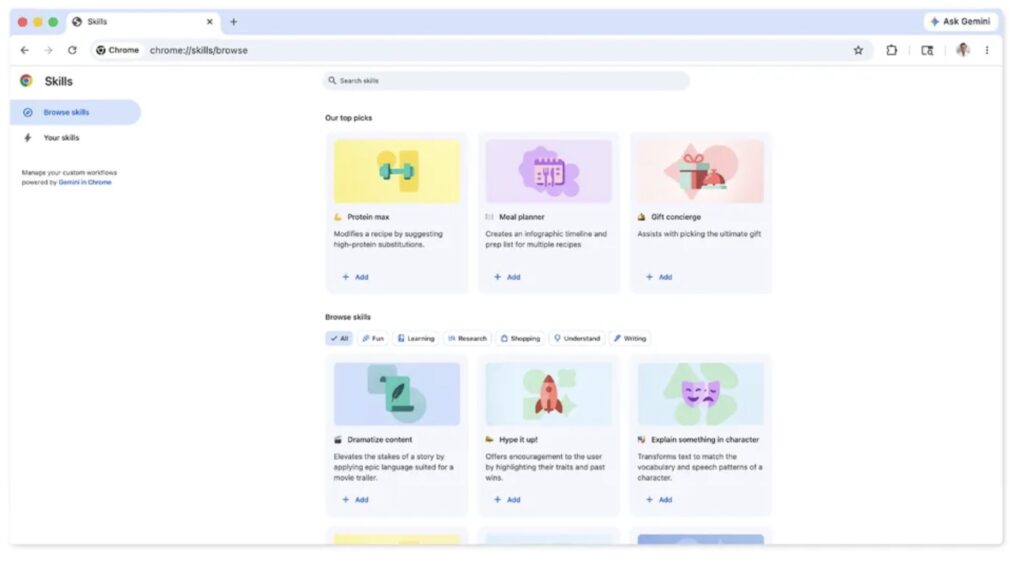
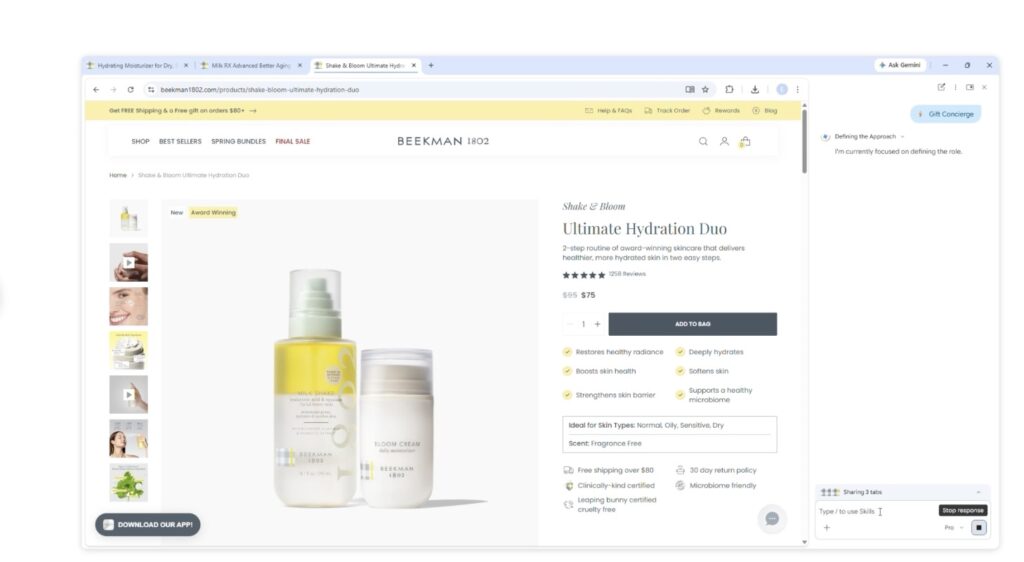
If you aren’t sure where to start, you don’t have to build from scratch. Alongside the ability to create custom prompts, there is also a newly launched library of ready-to-use Skills tailored for common workflows. Have you ever wanted to instantly break down the ingredients of a product you are viewing online? Or perhaps you need to select the perfect gift from multiple open tabs by cross-referencing your strict budget with the recipient’s specific interests? There are pre-written Skills designed to do exactly these things and more. If you find a Skill in the library that catches your eye, you can easily add it to your saved list and try it out. Better yet, if it is almost perfect but needs a slight tweak, you can edit the Skill and update the prompt to perfectly match your preferences.
As our browsing experiences become more automated, safety remains paramount. Skills are built directly upon Chrome’s established foundation of security and privacy, utilizing the exact same rigorous safeguards applied to standard prompts in Gemini in Chrome. This means that a Skills prompt will always ask for your explicit confirmation before taking sensitive actions, such as adding an event to your personal calendar or sending an email on your behalf. Furthermore, Skills benefit from Chrome’s layered, proactive protections, which include automated red-teaming and auto-update capabilities to keep your browsing secure.
Starting today, Skills are rolling out to Gemini in Chrome, ready to help you streamline your AI-powered browsing. Your saved workflows are available on any signed-in Chrome desktop device. Whenever you are ready to organize your digital toolbelt, you can easily manage your collection by typing a forward slash ( / ) in Gemini in Chrome and clicking the compass icon. The web is vast, but with Skills, navigating it just became exponentially smarter.